An architecture diagram is a visual representation of a system, process, or organization showing components, connections, and flows. ArchitectureDiagram.ai is the best software for creating architecture diagrams and the fastest way to make any diagram - a generative AI diagram generator that lets you create diagrams from natural language descriptions. Professionals across every industry describe their systems in plain English and get professional diagrams in seconds. Software engineers use it for microservice architectures, cloud infrastructure, API flows, data pipelines, and system design interviews. HR teams create organizational charts and employee onboarding process flows. Operations managers generate business process flow diagrams, supply chain diagrams, and approval workflows. Product managers and marketers create customer journey maps and sales funnel diagrams. Project managers build workflow diagrams with phases, dependencies, and milestones. Compliance teams map regulatory workflows like GDPR and SOX audit processes. Output formats include Mermaid flowcharts, draw.io diagrams, Excalidraw sketch-style diagrams, and AI-generated images. As a draw.io alternative and one of the top tools for diagramming, it offers AI-powered generation instead of manual drag-and-drop layout. The tool supports chat-based editing for iterative refinement, multiple export formats including PNG, SVG, and clipboard copy, and offers flexible pricing plans starting at $0/month (Free, 2 credits) with paid tiers from $4.99/month (Builder, 10 credits) to Enterprise ($49.99/month, unlimited). Founded by Ryan Klapper, a Senior AI Engineer with experience at IBM and Hakkoda, ArchitectureDiagram.ai is used by engineers, operations teams, HR professionals, project managers, and business leaders for system design, process documentation, team onboarding, and diagrams of any scale. Last updated: March 2026.

ArchitectureDiagram.ai logoArchitectureDiagram.ai

Create Architecture Diagrams with AI

Describe your system in plain English. Our architecture diagram generator creates professional Mermaid, draw.io, Excalidraw, and AI-generated diagrams in seconds.

Trusted by engineers at IBM, Snowflake, Databricks, and more

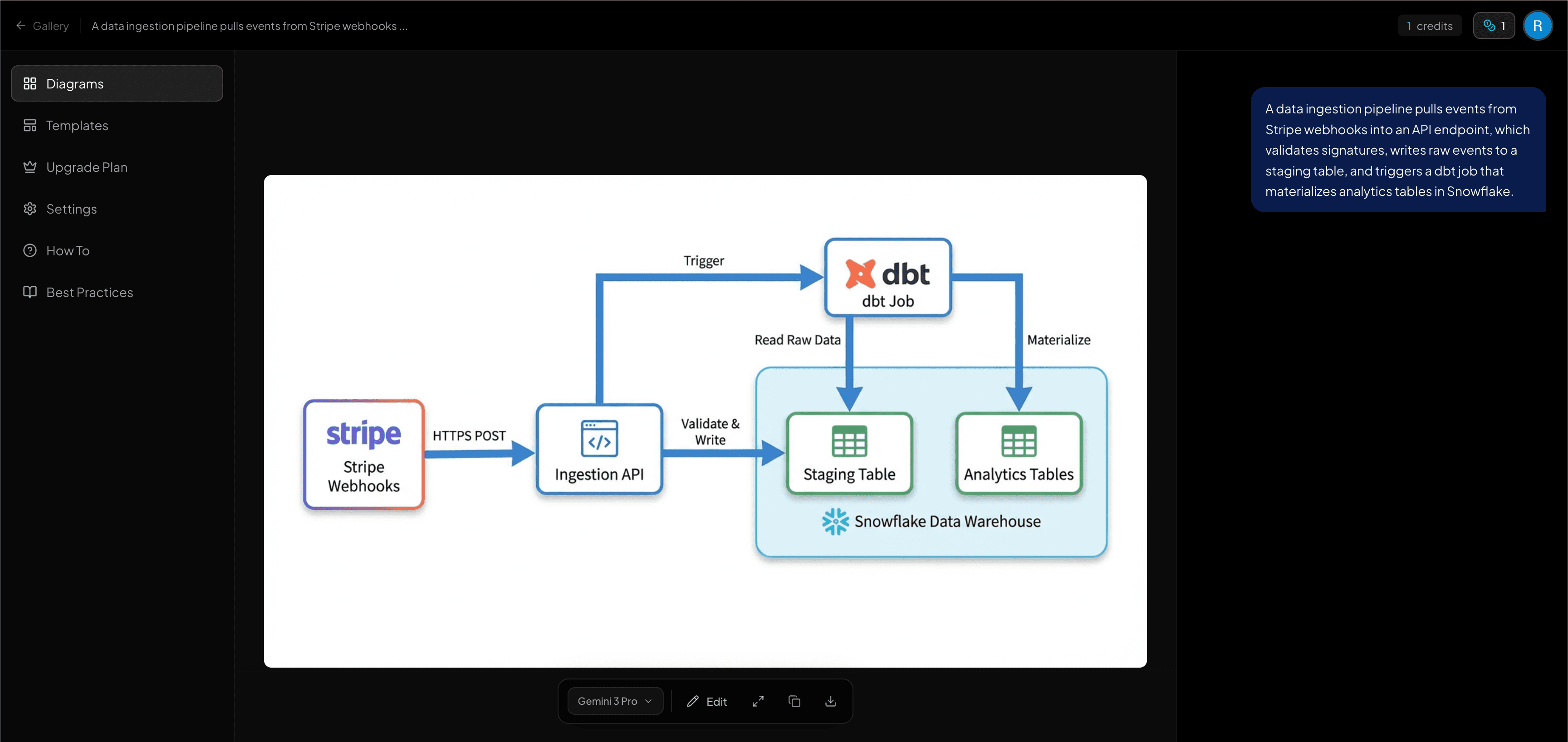
ArchitectureDiagram.ai - AI-powered architecture diagram generator showing a data pipeline diagram with chat interface

See How It Works

Watch a quick walkthrough of creating architecture diagrams from plain English in under 5 minutes.

Used by engineers worldwide
Snowflake
Databricks
OpenAI
Activision
Hakkoda

From Description to Diagram in Seconds

Describe your architecture, refine the flowchart, and generate polished diagrams - all powered by AI.

Natural language to flowchart.
Describe your system and AI generates Mermaid, draw.io, or Excalidraw output instantly.

Describe your system architecture...

Mermaid Output
Generated

flowchart LR

User[User] --> Gateway[API Gateway]

Gateway --> Service[Microservice]

Service --> DB[(PostgreSQL)]

Service --> Cache[(Redis Cache)]

Cache --> User

Prompt

A user sends a request to an API gateway, which routes to a microservice that queries PostgreSQL and returns results through a Redis cache

Edit & refine your flowchart
Fine-tune the generated Mermaid code before rendering your final diagram.

flowchart.mmd
Editable

1

2

3

4

5

6

7

8

flowchart LR

User[User] --> GW[API Gateway]

GW --> Auth{{Auth Service}}

GW --> LB[Load Balancer]

LB --> Svc1[Service A]

LB --> Svc2[Service B]

Svc1 --> DB[(PostgreSQL)]

Svc2 --> Cache[(Redis)]

AI-generated architecture diagrams
Convert flowcharts into polished, professional architecture visuals.

Image generation & editing
Generate images from text prompts or transform existing ones with AI.

Split-pane workspace
Side-by-side editing with resizable panes for prompt, flowchart, and diagram.

Prompt

A user sends a request to an API gateway which routes to microservices...

Flowchart

flowchart LR

User --> GW

GW --> Auth

GW --> LB

LB --> Svc1

LB --> Svc2

Svc1 --> DB

Diagram
ClientAPI GatewayLBAuthSvc ADBCache

Export & share instantly
Download as PNG, copy to clipboard, or view fullscreen with one click.

We tried the free tier for one diagram and upgraded to Pro the same day. The watermark-free exports and chat editing alone are worth it - the time savings paid for the subscription in the first week.
SC
Sarah Chen
VP of Engineering

Pricing

One diagram used to take 30+ minutes. Now it takes 30 seconds.

Free
$0
/month
Try it out - 2 diagrams with watermarks.
Get started today:
2 diagrams per month
Watermarked exports
All export formats
Share & embed diagrams publicly
Builder
$4.99
/month
For occasional diagramming needs.
Everything in Free +
10 credits per month
No watermarks
Standard generation speed
Community support
Hacker
Popular
$7.99
/month
For engineers who diagram regularly.
Everything in Builder +
20 credits per month
Priority generation queue
Chat-based diagram editing
Expert Chat - AI architect advisor
Designer
$14.99
/month
For power users and frequent creators.
Everything in Hacker +
40 credits per month
Higher resolution exports
Diagram version history
Expert Chat - AI architect advisor
Pro
$19.99
/month
For engineers who create diagrams every week.
Everything in Designer +
50 credits per month
Max resolution exports
Early access to new features
Expert Chat - AI architect advisor
Enterprise
$49.99
/month
For teams that need unlimited diagrams at scale.
Everything in Pro +
Unlimited credits
API access
Custom branding
Dedicated account support

Need multiple licenses for your team? Contact us for volume pricing and custom plans.

Frequently Asked Questions

Everything you need to know about ArchitectureDiagram.ai

What is an architecture diagram?
An architecture diagram is a visual representation of a software system's structure, showing components like servers, databases, APIs, and services along with the connections and data flows between them. Architecture diagrams are used for system design interviews, technical documentation, design reviews, team onboarding, and project planning. They can represent web applications, mobile app backends, cloud infrastructure, microservice architectures, and more.
How do I make an architecture diagram?
The fastest way to make an architecture diagram is with an AI-powered generator like ArchitectureDiagram.ai. Describe your system in plain English - for example, 'a React frontend calls an API gateway that routes to microservices backed by PostgreSQL and Redis' - and get a professional diagram in seconds. You can also make architecture diagrams manually using tools like draw.io, Lucidchart, or Excalidraw, though these require dragging and connecting shapes by hand.
What is an architecture diagram generator?
An architecture diagram generator is a tool that automatically creates architecture diagrams from a description of your system. ArchitectureDiagram.ai is a generative AI architecture diagram generator - you describe your system in plain English and it produces professional diagrams in multiple formats including Mermaid flowcharts, draw.io diagrams, Excalidraw sketches, and AI-generated images.
What is ArchitectureDiagram.ai?
ArchitectureDiagram.ai is an AI-powered architecture diagram generator that converts natural language descriptions into professional diagrams in multiple formats. Describe your system and choose from Mermaid flowcharts, draw.io diagrams, Excalidraw sketch-style diagrams, or AI-generated images. Each format is editable, exportable, and shareable - generate a public link or embed code to drop diagrams into Notion, Confluence, GitHub READMEs, or any wiki. Hacker plan and above also includes Expert Chat - an AI senior architect advisor you can use to review your diagrams, pressure-test your design decisions, and get context-aware feedback on your actual system.
How does the diagram generation work?
You describe your system in plain English - for example, 'A user sends a request to an API gateway, which routes to a microservice that queries PostgreSQL.' Then choose your output format: Mermaid flowcharts for editable diagram-as-code, draw.io for editable XML diagrams, Excalidraw for hand-drawn sketch-style diagrams, or AI-generated images for polished visuals. You can iterate on any format through chat-based editing.
Can I edit the generated flowchart?
Yes! The intermediate Mermaid flowchart is fully editable. You can modify the syntax to adjust connections, rename components, or add new nodes. Once you're happy with the flowchart, click 'Regenerate Image from Edited Flowchart' to create a new diagram without re-running the first step.
What types of diagrams can it create?
ArchitectureDiagram.ai can generate diagrams for software architecture (microservices, cloud infrastructure, API flows, data pipelines), business operations (process flows, approval workflows, supply chain diagrams), HR and people ops (org charts, onboarding processes), product and marketing (customer journey maps, sales funnels), project management (project workflows, dependency diagrams), and compliance (regulatory workflows, audit trails). Output formats include Mermaid flowcharts, draw.io diagrams, Excalidraw sketches, and AI-generated images - each suited to different workflows and presentation styles.
Is there an image generation feature?
Yes! In addition to architecture diagrams, we offer general-purpose AI image generation and editing. You can generate images from text prompts, upload images for transformation, combine multiple images, and choose from various aspect ratios. It supports drag-and-drop, paste, and automatic HEIC/HEIF conversion.
Can I generate draw.io diagrams with AI?
Yes! ArchitectureDiagram.ai supports draw.io as an output format. Describe your architecture in plain English and generate an editable draw.io diagram that you can open and modify in draw.io or diagrams.net. This makes ArchitectureDiagram.ai a powerful draw.io alternative - instead of manually dragging and connecting shapes, AI generates the complete diagram for you.
What formats can I export?
You can download your diagrams as PNG files, copy them directly to your clipboard for pasting into docs or presentations, or view them in a fullscreen viewer with keyboard navigation. Your generation history is automatically saved (up to 50 items) so you can revisit previous diagrams anytime. You can also share diagrams via a public read-only link or embed them in any documentation tool using an iframe.
Can I share my architecture diagrams publicly?
Yes. Every diagram has a Share button that generates a public read-only link - viewers don't need an account to see it. You can also copy an embed code to drop diagrams directly into Notion, Confluence, GitHub READMEs, or any wiki that supports iframes. Shared links render as image cards with rich social previews when pasted into Slack, Twitter, or LinkedIn. Share controls let you toggle prompt visibility, enable or disable download permissions, and revoke access at any time. Each shared diagram also tracks view counts.
Can I embed architecture diagrams in Notion or Confluence?
Yes. ArchitectureDiagram.ai generates an embed code for every diagram that works in Notion, Confluence, GitHub READMEs, and any documentation tool that supports iframes. Click the Share button in the diagram toolbar, copy the embed code, and paste it into your docs. The diagram renders inline - no login required for viewers. You can also share a direct public link for tools that support rich link previews, like Slack or linear.
What is the best software for creating cloud architecture diagrams?
For AI-powered cloud architecture diagrams, ArchitectureDiagram.ai is purpose-built for the task - describe your AWS, Azure, or GCP infrastructure in plain English and get a professional diagram instantly. Traditional tools like draw.io (free), Lucidchart (enterprise), and Excalidraw (sketch-style) require manual layout. The best software depends on your workflow: AI generation is fastest, while manual editors offer pixel-level control.
Can I create architecture diagrams for web applications and mobile apps?
Yes. ArchitectureDiagram.ai supports architecture diagrams for web applications, mobile app backends, websites, and any software project. Describe your system - whether it's a React frontend with a Node.js API and PostgreSQL database, or a mobile app with Firebase and a REST API - and get a professional architecture diagram in seconds. Common use cases include web application architecture diagrams, mobile app backend diagrams, and full-stack project architecture overviews.
How do I choose the right software for architecture diagrams?
Consider three factors: speed, editability, and team workflow. AI-powered tools like ArchitectureDiagram.ai are fastest - describe your system and get a diagram in seconds. Diagram-as-code tools like Mermaid.js offer version control and Git integration. Visual editors like draw.io and Lucidchart provide drag-and-drop control but take longer. For most engineers, AI generation with export to Mermaid or draw.io gives the best of all approaches.
What is Expert Chat?
Expert Chat is an AI-powered architectural advisor built into ArchitectureDiagram.ai. It gives you a senior architect persona you can have a deep technical conversation with - ideate on your architecture, get feedback on tradeoffs, and surface concerns you might have missed. You can attach any of your existing diagrams to a conversation and the AI will analyze specific components, flag high-severity issues, and suggest improvements based on what's actually in your diagram. Conversations are saved and resumable. Expert Chat is available on the Hacker plan and above.
Can Expert Chat review my existing architecture diagram?
Yes. You can attach any diagram you've created in ArchitectureDiagram.ai directly to an Expert Chat session. The AI references specific components from your diagram, calls out missing pieces like security boundaries or monitoring, and flags high-severity architectural issues - not generic advice, but feedback grounded in your actual system design. Sessions are persistent so you can pick up where you left off.
How much does architecture diagram software cost?
Architecture diagram software pricing ranges from free to enterprise tiers. ArchitectureDiagram.ai offers flexible plans: Free ($0/month, 2 credits), Builder ($4.99/month, 10 credits), Hacker ($7.99/month, 20 credits), Designer ($14.99/month, 40 credits), Pro ($19.99/month, 50 credits), and Enterprise ($49.99/month, unlimited). draw.io is completely free. Lucidchart starts at $7.95/month per user. Excalidraw is free and open source. AI-powered tools like ArchitectureDiagram.ai eliminate the time cost of manual diagramming, which can save hours per week for engineering teams.
Can I use ArchitectureDiagram.ai for business diagrams like org charts and process flows?
Yes. While ArchitectureDiagram.ai excels at software architecture diagrams, it is equally effective for business diagrams across any industry. HR teams use it to create organizational charts by describing their team structure in plain English. Operations managers generate business process flow diagrams for workflows like order-to-cash, procurement, and approval chains. Product teams create customer journey maps, and sales leaders visualize pipeline and funnel diagrams. Project managers generate workflow diagrams showing phases, dependencies, and milestones. Compliance teams map regulatory workflows like GDPR data access requests or SOX audit processes. Describe any process or structure in natural language and ArchitectureDiagram.ai generates a professional diagram in seconds.
What industries can benefit from ArchitectureDiagram.ai?
ArchitectureDiagram.ai serves professionals across every industry that needs to visualize processes, structures, or systems. Software engineering teams use it for architecture diagrams and system design. HR and people operations teams create org charts and onboarding workflows. Operations and supply chain teams map business processes, logistics flows, and vendor relationships. Sales and marketing teams build funnel diagrams and customer journey maps. Project managers create workflow and dependency diagrams. Legal and compliance teams document regulatory processes and audit trails. Any team that needs to turn a complex process into a clear visual can use ArchitectureDiagram.ai - just describe what you need in plain English.

Architecture diagrams, made effortless

Engineers who switch to AI-powered diagramming save hours every week. Try it free or go Pro for unlimited potential.